The MacBook vs Windows debate ends here
Apple’s blazing M-series chips or the flexible AMD, Intel, or Snapdragon processors that power Windows laptops? MacBooks and Windows laptops are the most sought-after laptop options in the tech world. While MacBooks win hearts with efficient performance, strong battery life, and seamless Apple connectivity, Windows laptops offer brand variety, gaming power, and wide software support. Whether it’s a Windows laptop or a MacBook, each suits different ecosystems, use cases, and budgets. Here’s how you can decide between macOS and Windows.
Decoding the magic of MacBook
Known for minimalistic designs and precision engineering, almost every MacBook features an aluminium unibody to offer a premium feel and excellent durability. MacBooks have a clean and intuitive user interface, so you can easily carry out file management. Plus, smooth updates in MacBooks ensure seamless integration of hardware and software. Apple’s M-series chips are another add-on to MacBooks that deliver lightning-fast performance, superb thermal control, and excellent power efficiency. In fact, battery endurance is a major highlight in many Apple laptop models. Want to check out some top-rated MacBooks? Some of the popular MacBook models like Apple MacBook Neo and Apple MacBook Air are worth considering.
Unfolding Windows laptops: Your reliable companion
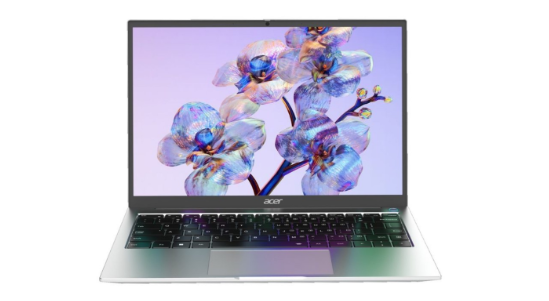
Windows laptops come from reliable brands like HP, Lenovo, ASUS, Dell, and acer. From AI laptops to 2-in-1 convertible laptop models, Windows laptops offer something for every kind of user. Want immersive gaming? You can choose a Windows laptop with high refresh rates and powerful graphics cards. Need to multitask like a pro? Windows laptops with generous RAM capacity and powerful processors can handle them well. Always on the go? Thin and light laptops can slip easily into your bag. With a flexible user interface and wide software support, Windows laptops are apt for users who want hardware customisation and prefer choosing between variable price points.
Which laptop matches your hustle?
Students can look for budget-friendly everyday Windows laptops or MacBook Air for smooth productivity. Gamers can check out Windows laptops with powerful GPUs and consistent frame rates. While designers can go for a MacBook for its seamless access to creative tools, business owners may prefer Windows laptops to MacBooks for their strong compatibility with enterprise software.
So, the difference between Windows laptops and MacBooks depends on your lifestyle and budget. If you want to work cohesively with your Apple devices, the MacBook can be your pick. And if you need wide software flexibility, a Windows laptop is worth it.